How it works
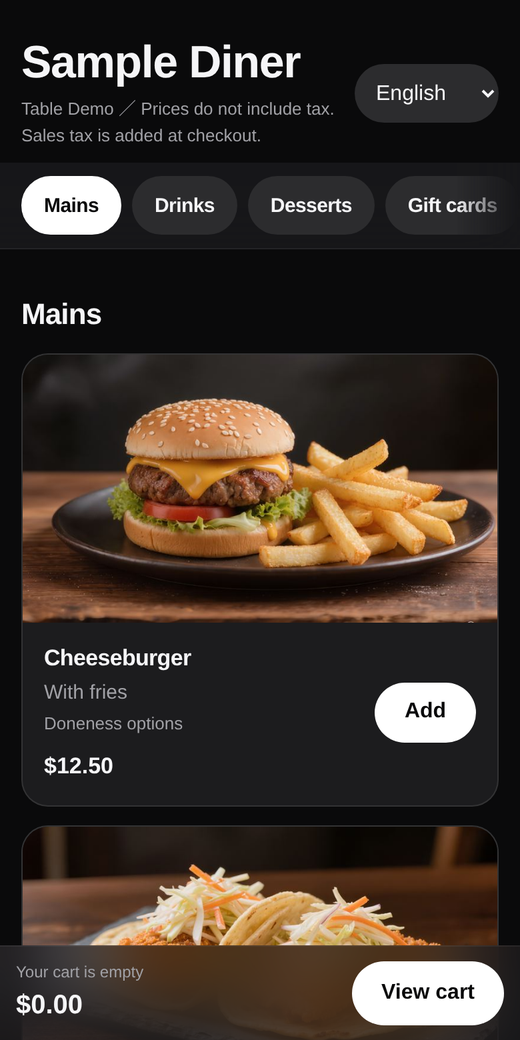
- Guests scan and order. Each table has its own QR code. Guests open the menu in their phone's browser. There is no app to install and no account to create.
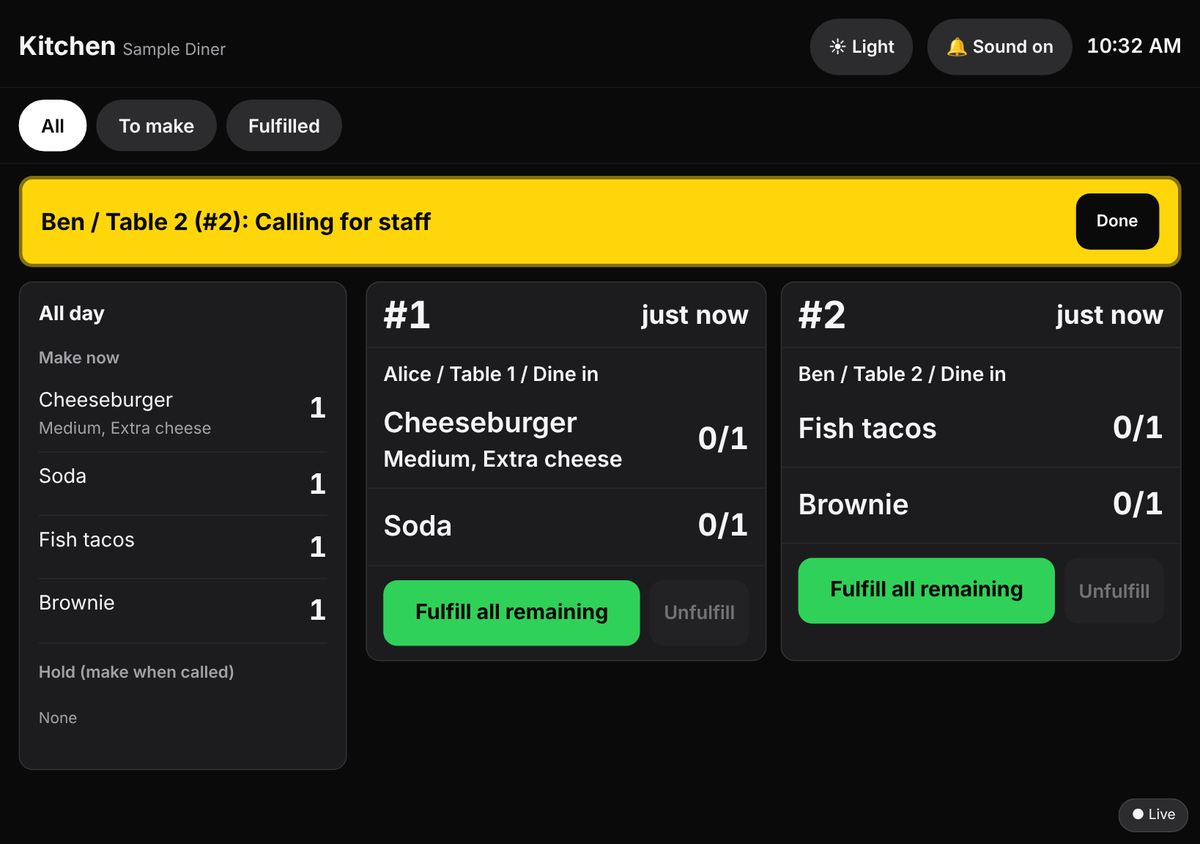
- Orders show up on your tablet. New orders appear on your tablet with a sound. On the kitchen screen, tap an item when it is done.
- Guests keep ordering. Another round goes onto the same check. Your staff does not have to walk over to take it.
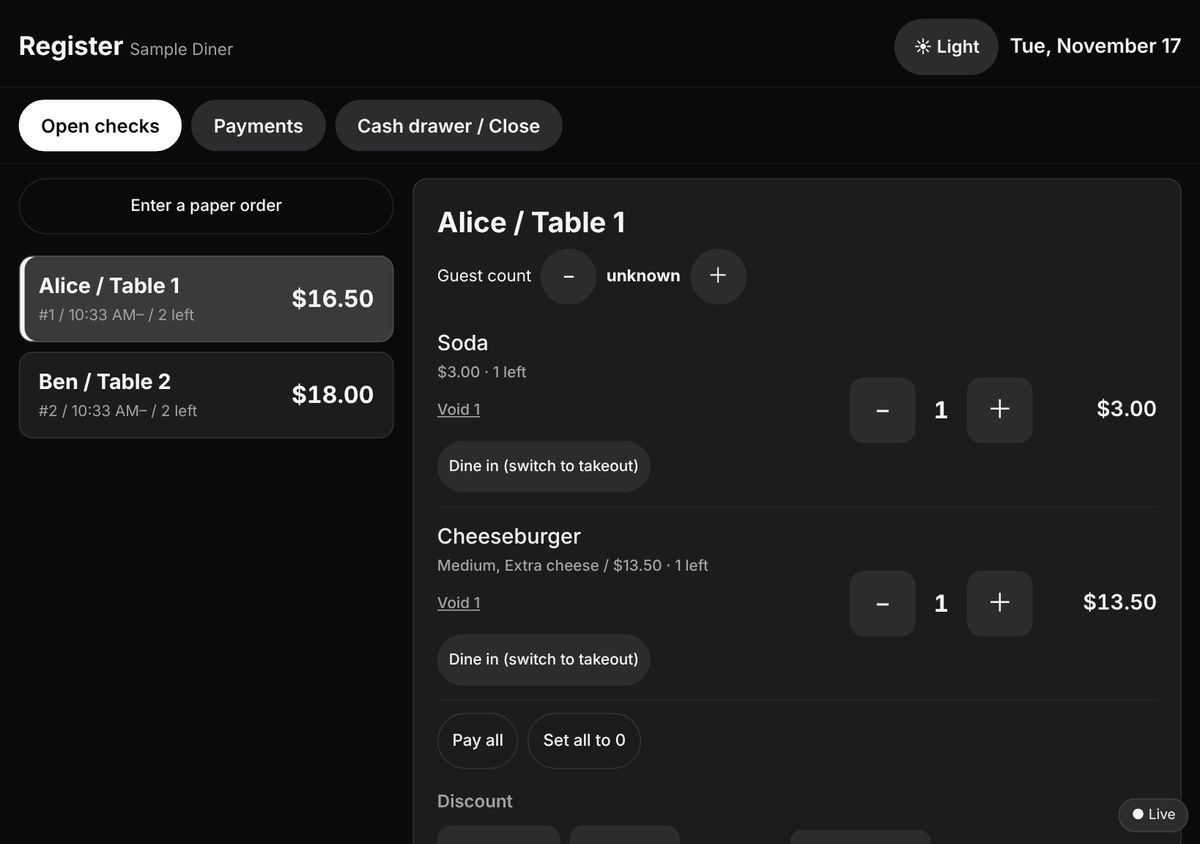
- Guests pay at the register. The register screen shows each open check with the total. You take the payment with the card terminal or cash drawer you already use, then record it in Rakuchu.
Try the sample menu
Open a sample restaurant on your phone and place an order, the way your guests would. It is a sample: nothing is charged, nothing is cooked, and orders are cleared regularly. Please use a made-up name.
 On a computer? Scan this with your phone.
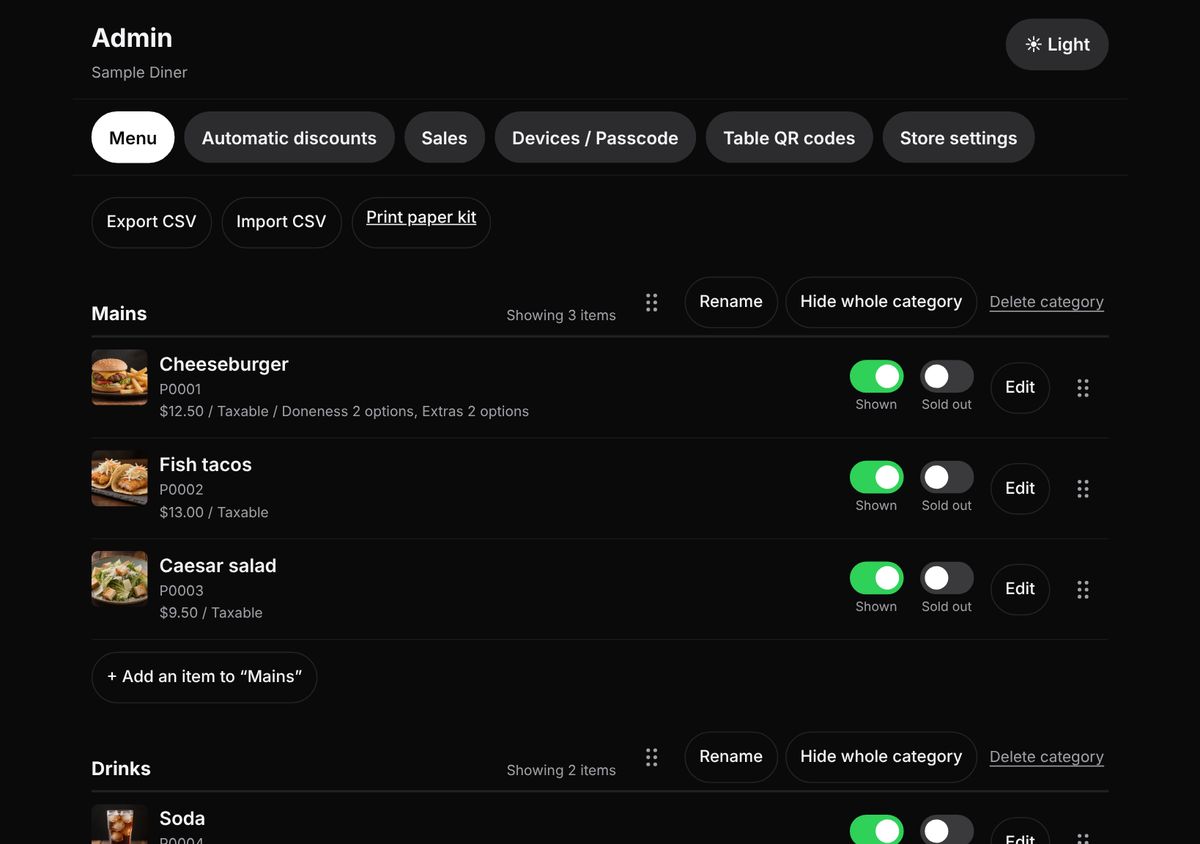
What your staff sees
These are the screens on your tablets on the Full and Premium plans. On QR only, new orders show on a simpler order list instead of the kitchen screen and the register.
Is it a fit for your restaurant?
A good fit
- Guests sit down, order more than once, and pay at the register when they leave.
- Ramen shops, izakaya, Korean BBQ, hot pot, dim sum, diners, and cafes with table service.
- You want guests to order without waiting, and you are happy with the card terminal you have.
Not a fit
- Takeout only, or guests order and pay at the counter before they sit.
- You want guests to pay on their phone at the table.
- You need orders to flow into another POS system automatically.
What Rakuchu does not do
We would rather you know this before you buy.
- No payment on the phone. Rakuchu does not charge cards. Guests pay at your register, and you record the payment in Rakuchu.
- No connection to other POS systems or card readers. Rakuchu runs next to the terminal you already have.
- No delivery or pickup ordering. It is for guests who are in your restaurant.
Guests can order in their own language
The guest ordering screen is available in English, Spanish, Japanese, Chinese (Simplified and Traditional), and Korean. Guests switch with one tap. Your staff sees every order in your menu's main language.
Three plans, one price each
| Plan | Price (one-time, per location) | What you get |
|---|---|---|
| QR only | $499 | Guest ordering by QR code, an order screen for your staff, menu editing and sold-out switching, and order-count emails (daily, weekly, monthly, yearly). |
| Full | $1,499 | Everything in QR only, plus a kitchen screen, a register (checks, split payments, voids and refunds with reasons), cash drawer and close-out-day, sales tax added at the register, sales reports by hour, item, category and tax (CSV export), sales emails, simple stock counts, time-based automatic discounts, and CSV menu import. |
| Premium | $2,499 | Everything in Full, plus we enter your menu for you, translate your menu into Spanish and one more language you choose, and tune the design to your logo and colors. |
Menu entry: on QR only and Full, you enter your own menu. On Premium, we enter it for you.
Prices are in US dollars, one-time, per location. Applicable taxes are not included. You use your own tablets and internet connection.
See everything that is and is not included →
Why a one-time price?
Most restaurant ordering software charges every month, and many charge on every order. Those charges do not stop. With Rakuchu you pay once per location. Using it for a longer time does not cost you more.
Questions restaurants ask
Do guests need an app or an account?
No. Guests open the menu in their phone's browser. There is no app to install and no account to create.
What do I need besides Rakuchu?
Your own tablets and an internet connection in the restaurant. QR only uses one tablet. Full and Premium use two. A used or low-cost tablet, iPad or Android, is fine. You do not need a kitchen printer.
Can guests pay on their phone?
No. Rakuchu does not charge cards. Guests pay at your register, on the terminal you already use.
Is there really no monthly fee?
Yes. You pay once per location. An optional care plan costs $108 or $228 a year, paid once a year. It does not renew automatically, and Rakuchu works without it.
Who enters the menu?
On QR only and Full, you enter your own menu. On Premium, we enter it for you.
Can I cancel?
Before we start setup, you may cancel and we refund the full amount. After we start setup, the price is not refundable.
Who makes Rakuchu
Rakuchu is built and supported in Japan. Support is by email. Write to us at any time, in any language. We reply within 24 hours.
Instagram: @rakuchu.order.us